Claude Code search that actually finds the conversation.
Claude Code's built-in search does not index enough to reliably find old work. Session Search indexes your local transcripts and keeps full-text search one click away in the macOS menu bar.
macOS 13.0+ · lightweight SQLite FTS5 index · lives in the menu bar
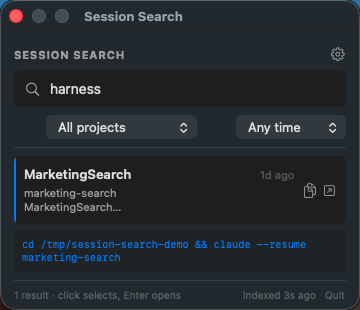
Built for the searches Claude Code misses.
Deeper indexing
SQLite FTS5 indexes local Claude Code transcripts, so errors, commands, filenames, and decisions are searchable.
Menu bar access
Open search from the macOS menu bar, type the word you remember, and get back to the right session.
Fast resume flow
Open the selected session with Enter, double-click, or copy the generated resume command.
Terminal choice
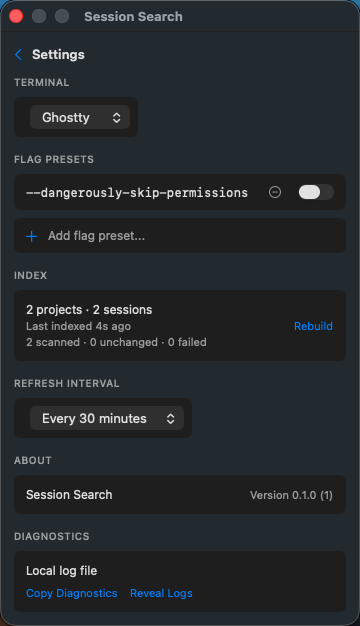
Launch resumed sessions in Terminal.app, iTerm2, or Ghostty with optional CLI flag presets.
Useful snippets
Results show project names, relative timestamps, and highlighted keyword context.
Automatic indexing
The app scans on launch and on a configurable interval, with a manual rebuild when needed.
One click from the menu bar.
Lightweight by design.
SQLite FTS5
A compact local SQLite index powers fast full-text search without a background service or external search stack.
Local files only
The app reads Claude Code transcripts from ~/.claude/projects/ and stores its index on your Mac.
Small surface area
A focused SwiftUI menu bar app handles indexing, search, snippets, and resume commands without a hosted backend.
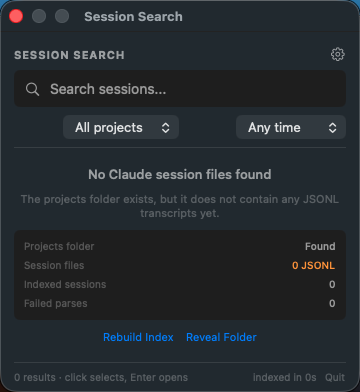
Real app states, captured from fixture data.
Local-first by design.
Session Search reads local files under ~/.claude/projects/ and stores its index, settings, and logs under ~/Library/Application Support/SessionSearch/.
Install
Download the latest notarized app zip from GitHub Releases, unzip it, and move SessionSearch.app to ~/Applications/.
cd menubar
make install